
How to Declutter Your Digital Life
A structured approach to organizing your phone, desktop, and digital platforms

Over the past year, I have become increasingly focused on refinement. I have decluttered my apartment, simplified my routines, and reduced unnecessary inputs in my physical environment. Eventually, it became obvious that if I cared this much about my physical space, I also needed to examine my digital one.
In this article, I’m walking through:
Why digital clutter creates more mental friction than we realize
What digital clutter actually includes
How I approached decluttering my phone, computer, and core platforms
How to maintain a clean digital ecosystem without turning it into a full-time project
The Problem Isn’t Technology
We spend an enormous portion of our lives inside digital spaces. Our phones, laptops, tablets, inboxes, browsers, shared drives, and apps are not just peripheral tools anymore, but true environments that we exist in all day long. Yet somehow most of us have never take the time to set them up with intention in the same way we set up our physical spaces.
Digital clutter is more than a messy home screen. It’s anything that pulls at your attention unnecessarily or creates background stress. That could be open tabs you never return to, thousands of unread emails, a notes app filled with half-finished thoughts, a photo library that feels overwhelming to scroll through or notifications interrupting you all day long.
Unlike physical clutter, digital clutter is really easy to ignore. You can silence a notification and swipe away an alert. Because it is not physically in your path, it feels less urgent. But over time, this unmanaged environment creates friction (and if you have been here for a minute you know the goal this year is to reduce friction!) Focus becomes harder, decisions feel heavier. Even rest can start to feel fragmented… you sit down to relax and instinctively reach for your phone.
And the issue isn’t that technology exist, but that it often goes largely unmanaged. If my goal this year is to reduce friction in my life, then my digital ecosystem needs to support that goal rather than undermine it.
What Digital Clutter Actually Includes
When most people think about digital organization, they imagine an aesthetic home screen or a clean desktop background. That is only one layer.
Digital clutter includes:
Excess apps you do not use
Disorganized home screens
Constant notifications
Open browser tabs and outdated bookmarks
Bloated cloud storage
Messy desktop downloads
Overstuffed design platforms
A chaotic photo library
An unstructured Notes app
Each of these might seem small on its own, but together, they create constant micro-interruptions. The deeper problem is that unmanaged digital spaces train you to stay reactive. Every alert, badge, and open loop asks your brain to respond. Over time, your attention adapts to that rhythm.
How I Approached My Digital Declutter
I was inspired to do a digital declutter after reading this article by Anna Newton. It actually originally inspired me to declutter my physical space, which naturally led to me wanting to streamline and refine my digital space, too. I actually shared some of this declutter in this vlog!
1. My Phone: From Default Setup to Intentional Tool
Most phones are the result of years of downloads that just build and build and build on top of each other. Rarely (if ever) do we sit down and actually design our screens and phone setup intentionally.
I started the process by auditing my apps. Anything I had not used in the past month was completely deleted - food apps, horoscope apps, travel apps I never touched. If I need them again, I can redownload them, but keeping them was adding visual noise.
Then I simplified my home screen. I treat it as prime real estate. Only my most used apps live there - which are email, messages, Spotify, Facetime and my camera. Everything else is organized into clearly labeled folders on the second screen.
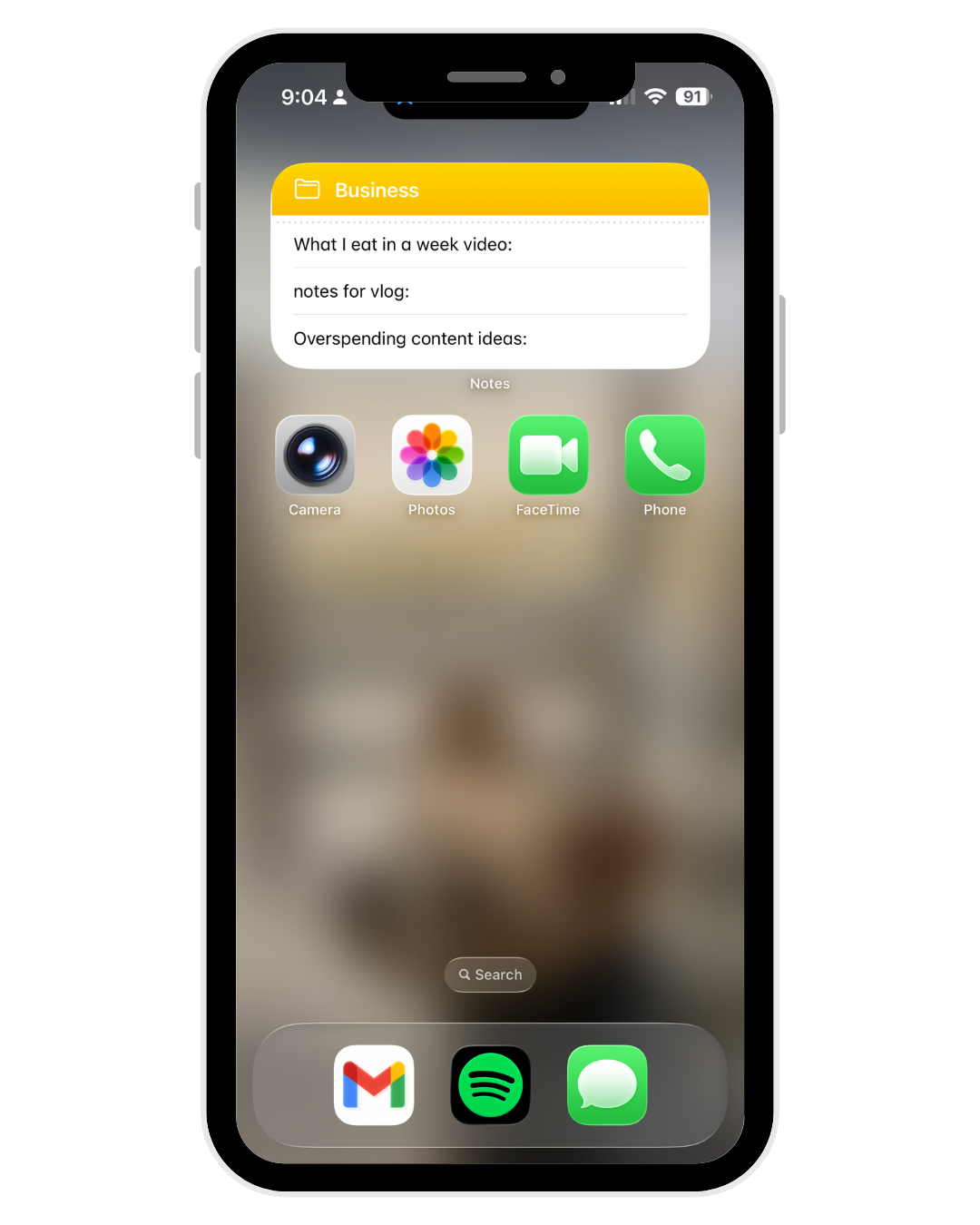
I also adjusted notifications. My phone is on Do Not Disturb most of the time. I only let direct communication from a small group of people (family group chat and my closest friends) break through DND. All other notifications - social media, news, and promotional stuff etc are off 100% of time.
The goal was not aesthetic minimalism. It was reducing unnecessary interruptions so that my phone functions like a tool rather than a lifeline.
2. My Browser and Cloud Storage: Building my Digital Library
Next, I migrated from my phone to my computer. Open tabs and bookmarks had become a holding space for tasks I never completed. My bookmark bar was cluttered with old links and outdated tools. This was the easy part - I cut my bookmark bar down to just the essentials. Then I moved to the harder part - organizing my Google Drive which was a disaster.
Pre-org, my Gdrive was essentially a holding ground for scattered folders and documents. So to start the process, I created a top-level structure with a few clear categories: sponsored content, digital product backlog, my personal finances, and an archive. Within those, everything is organized either by document type, year, or both. And when it came to clearing things out, if I haven’t opened a document in years … it had to go. I found I was holding onto tons of old documents under the guise that “maybe” I’d use them or reference them back some day. Which obviously, I never did.
The shift that has helped keep this momentum up was making the commitment to file things away immediately going forward. When I download or create something, it goes into the appropriate folder right away. Now, rather than feeling like a black hole, my Google Drive functions more like a library.
3. Desktop and Downloads: Not a Storage Unit
Your desktop is another area that gets cluttered, fast. This stresses me out, but again it’s so easy to ignore because I can just cover it up with open windows on my screen. I took a minute to clear everything out on the upfront - and now I treat my desktop the same way I treat my phone home screen - it’s a surface, not a storage unit. And it needs proper organization to function as such.
I keep only a few essential folders visible - right now, it’s Youtube and Podcast assets that I re-use often, and then my essential business documents that I need to store. Everything else gets deleted regularly because it’s non-essential. Downloads are the same - they used to be a black hole of random stuff that I never went back to, and all they were doing was sucking up storage on my computer. Now, I delete them at the end of every day. It feels amazing!
4. Work Platforms Like Canva and Editing Tools
We all have work platforms that accumulate tons of clutter. For me, it’s mostly Canva (and of my fellow creators or designers or SMM get it). Old drafts, duplicate files, outdated graphics, and unused uploads make creating new projects clunky. I hadn’t cleared out my Canva since 2019 (!!!) so you can imagine how much was going on in there.
I applied the same structure to this process: first I created folders, then I archived intentionally, and lastly I deleted ruthlessly. If a platform feels overwhelming to open, that is usually a signal that it needs structure.
When each platform is organized, daily execution becomes faster. The way that cleaning up my Canva has made making my graphics SO MUCH EASIER I cannot even explain. I would prioritize your work programs and applications on the upfront if you can!
5. Photos and Screenshots: From Dumping Ground to Archive
My photo library was one of the biggest sources of hidden clutter - aside from the pictures I want to keep as memories - I had screenshots, so many duplicates, receipts, and random b-roll for videos that I never reused. Every time I opened my photo app, I felt EXTREME overwhelm.
To deal with my photo app up front, I dedicated FOUR (yes, 4) Pomodoro timers to get through a mass deletion. I went through my album by category - screenshots, downloads, b-roll videos, and then regular photos.
I got rid of all my duplicated and old content I would never reuse. Then - you guessed it - I created folders for categories I actually reference, like testimonials, template photos, and content assets. Now, to maintain this clarity, I will move photos and videos around as soon as they’re done, but also spend time weekly deleting stuff that I know don’t need or won’t reuse.
6. My Notes App: Building a Structured System
For so long, my Notes app was a running feed of thoughts, grocery lists, and ideas I never revisited. Any time I had a thought, I just threw it in a note and ultimately (again) never really went back to it. The issue was both volume and structure - writing it down didn’t actually have any benefit because I couldn’t find anything.
I now use two primary folders: business and life. Within those, I keep structured notes for recurring categories. All of my off-the-cuff content ideas live in one long note, and then I have a second for strategy or to-do lists. In my Life folder, I keep all my travel info, therapy reflections, grocery lists and more.
The difference comes down to clarity. I minimize the volume, and each note belongs in a specific folder and serves a specific purpose. Otherwise, it is temporary and gets deleted!
How I Maintain This Without Obsessing
The upfront declutter requires a decent chunk of time. I’d recommend dedicating (honestly) a few hours or half a workday. I did most of mine on a snowy Saturday afternoon where I wanted to feel productive but not really have to do any thinking.
The maintenance is simple, but only if you actually do it.
File things immediately.
Delete what is temporary.
Review one area at a time instead of everything at once.
Resist the urge to keep things “just in case.”
Why This Matters
When your digital spaces are unmanaged, they create background noise. That noise fragments your attention and drains mental energy. When they are structured, they disappear into the background and don’t serve as a distraction.
Organizing my digital life has reduced my mental load in a way I did not fully anticipate. It’s easier to focus, execute, and ultimately - rest. Technology should enhance your life, not destabilize your attention. Refinement is about removing friction so that what remains actually supports how you want to live.
xx
Michela
Thanks for this, it resonates with me a lot. I've talked about this more than once in my podcast.
One thing I’ve noticed when people try to declutter their digital lives is that they often try to do everything at once (inbox, files, photos, apps, passwords) and it becomes overwhelming quickly. The approach that seems to stick is starting small and building a habit. Digital clutter builds slowly, so the cleanup process usually has to work the same way. I usually suggest they look at it in five minute increments or a 30 minute cleanup. It does wonders to break it down.
At least twice a year I declutter my digital life- and is high reward feeling. So happy to read your article :)